




The simplistic design of the Dr. DAC Nano doesn’t give you any method of volume control, and when you want to use it as a headphone amplifier, you need to control the volume directly from your computer. With the Mac, this can be done either through the Itunes or the Mac volume control (The Nano responds to both). It works pretty well actually, as adjusting the sound through the computer is quite convenient. It’s also good in the way that there is no concern about channel imbalances that plague analog volume controls at very low volume levels (something that is often an issue with IEMs). I actually think that the Nuforce uDAC would sound better if they take the same approach and discard the volume control, since the analog out on the uDAC, both RCA and headphone amp, is controlled by the volume pot, and to a certain point, volume pots (especially small one) degrade signal purity.
Although jitter cops would totally disapprove controlling the volume through the OS mixer, as it adds jitter through the software processing, I think the effect in real life is still lesser than the analog signal degradation through a conventional pot.
With the AD8397 opamp, power level at the analog out is very loud. With the Itunes volume on maximum, and roughly 65% on the Mac volume level, the Nano drives my HD800 very loud with decent impact as well. Compared to the uDAC, the headphone out section of the uDAC is still slightly more powerful than the Dr. DAC Nano, where 1 O’clock on the uDAC is just close to the maximum loudness level that I can handle with the HD800. The upfront presentation of the uDAC also sounds better when comparing the headphone out, as the detail on the music is easily more audible.
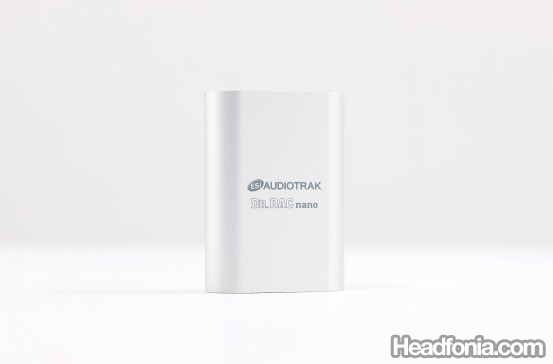
The ESI Dr. DAC Nano.
I was curious to test if the Nano indeed is capable of 24/96 resolutions, and so I hooked up the Nano through the USB to the Macpro, then out with a toslink optical cable to the Grace m902. ESI has supplied a nice adaptor so that you can use the common Toslink cable.
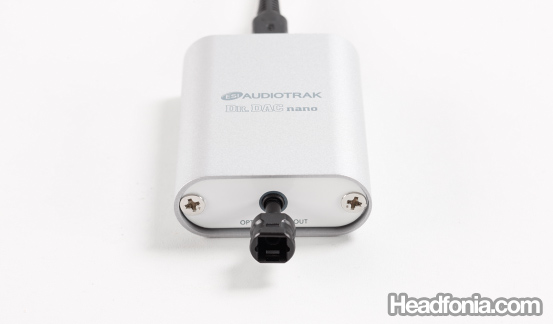
Toslink to mini-Toslink adapter is supplied with the Nano.
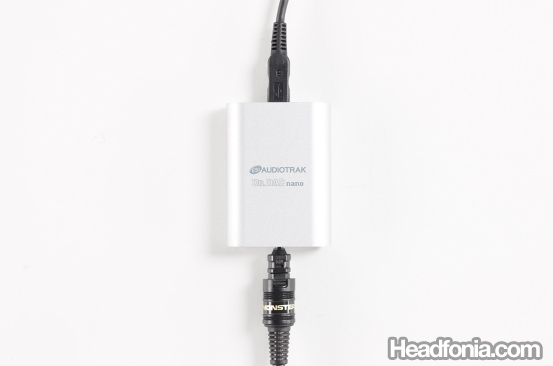
USB in, Toslink out.
I went to the Mac midi settings and set the output to 24/96.
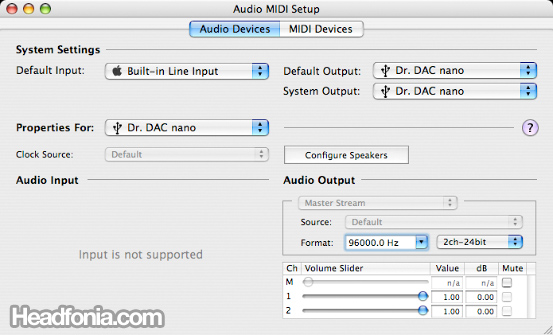
Apple OSX Midi Setup window.
When everything is set up correctly, the 96 kHz light on the Grace would light up, confirming that the Nano is indeed transferring music data at 24/96. I was not able to test for bit perfect though, as the Grace’s DAC reclocks all incoming digital data to its own internal clock using the proprietary s-Lock. Playing 24/96 files from Reference Recordings is a joy, as the 24 bit really sounds smoother and less digital-choppy on extreme passages when compared to 16 bit tracks. Not bad for $99!
Okay, seeing that very little music is available today that’s in 24 bit, the real comparison, at least in this price bracket is still on the 16/48 land. Between the $99 uDAC and the Dr. DAC Nano, the choice is not an easy one, as the Dr. DAC Nano has a better sounding DAC, but the uDAC has a more powerful headphone out (although that power may not be needed). The difference in the DAC performance between the uDAC and the Nano is very close, and if you prefer a one box DAC+Amp solution, the uDAC might be the better choice, whereas if you’ve already own a portable amp, the Dr. DAC Nano makes a more ideal pairing. Compared to the Styleaudio UD-1, the Dr. DAC Nano’s DAC still fall short, but it does make up the loss with a very usable headphone out (that the UD-1 doesn’t have), and it also come in a much smaller package that would go well with anyone using a small netbook laptop or something fancy like the Macbook Air.
System used for review:
Headphones: Sennheiser HD800 with APureSound Balanced Cable, Unique Melody Mage 4 drivers custom IEM
Amplifier: Balanced TPA6120 Amplifier, built in amps of the respective DAC units
Source: ESI Audiotrak Dr. DAC Nano, Nuforce uDAC, Styleaudio UD-1




thuantran
Hi, thanks for this review. Do you get any hiss with your IEM, I wonder?
Mike
Hi thuantran, yes, I did get some hiss. Since there is no pot, the hiss is constant throughout the volume setting. It's slightly higher than the uDAC on the normal listening level, but nothing too bothersome. PS: I was using the UM Mage, and there is almost no amp that sound hiss free with this IEM, even all the big high end amps. So yes, there is hiss, but nothing to worry about.
thuantran
Thanks, for your answer, what about hiss through the nano then the TPA6120 Amplifier to your HD800 then? I tried a simple USB DAC using PCM2702 on my active speakers (Creative Gigaworks T20) once and it hisses somewhat annoyingly at my normal listening level. So I wanna know if this config has no hiss, too? Sometimes I wanna try this with my active speakers too, if I ever buy this.
Mike
Hmmm… I can't give a definite answer right now, but let me check on that and I'll get back to you.
Mike
Finally tested the hiss level. Macpro > Dr. DAC Nano > TPA6120 Amp > HD800. Very small hiss at max volume on the TPA6120 Amp. Completely quiet on normal listening volume.
I also tried plugging in a Superlux HD831B (16 ohms, 103dB SPL/mW) directly to the Nano, and found no hiss at max volume on the Itunes.
By the way, if you can afford the Dr. DAC Prime, go for that one instead. The difference is pretty big. 😉 Oh, btw I'm trying to do a review of the Dr. DAC Prime vs. Dr. DAC DX2. 😀
thuantran
Thanks for your answer. Money is not a problem for me really, but it's the problem of convenience. The solution I come up is to sit at my home country and buying through my card and ship it to my friend in Korea (going to buy the Korean JAVS DAC-1 Overture version, only around 260USD :D). My friend is kinda short on money as he has been buying a bunch of stuffs for himself lately. My country has pretty strict policy when I'm sending money oversea to another person, and it also has history of shady postal shipping (damage or lost item).
I hope it all ends well though, as I'm pretty much set on the Overture (ESI Prime). Some pic of its internal http://www.cherryaudio.co.kr/Front/Product/?url=P… here.
Mike
Wow, talk about a price difference! 😀
Good luck with the purchase and let me know how it is. 😀 Or if you want to wait a few more days, I'm writing a review of the Pico DAC, probably including some comparison with the Dr. DAC Prime.
thuantran
Well I can wait for some time really, my friend won't be coming anytime soon like in days :D. I'm listening to the HD595 that I have waited for two months now, just got it. It's simply wow, just wow, the portapro I have been using is nothing compared to what I'm hearing now, and it's not even burnt it.
Mike
HD595 should be a pretty big jump to the portapro.
I'm finishing up the Pico and Gamma2 DAC comparison, with a bit of comparison to the Audinst and Dr. DAC Prime.
fiery
This was a very helpful review which I looked for.
Is it possible to put Fiio E7 in the comparison? It's in the same price range as ESI Dr. DAC Nano and I would like to see how both compares as sound quality as well as is hiss more or less using the Fiio DAC. I use 16 Ohms ATH-CM700Ti.
Thanks,
Mike
Hmmmm…. that would make a good comparison won't it? Let me consider it. 🙂
Iggy
One question.. I was wondering… Can I plug the Dr.DAC Nano to my laptop and then from the DAC to the proper headphone amplifier? Would that work? I bought V-CAN musical fidelity amp, but its for analog and I like to listen to the music through my computer so im looking for a DAC of some kind… btw, I'm using my brand new AKG k702's as well. What kind of DAC would you recommend? It'll help me so much, since I dont know much in this field…
Really appreciate the help!
Thank you!
Mike
You can use the Nano, but something like this would be more fitting:
http://www.headfonia.com/the-hrt-music-streamer-i…
SoulSyde
Mike, I just got my Dr DAC Nano and I think it sounds very good. A tad warm compared to my NuForce Icon HDP, but very-very good for $99.
My setup is actually pretty cool: Netbook > J River Media Center (streaming my library from my home server) > Dr DAC Nano > Headstage Arrow 12HE 3G > [Various Headphones]
It's a lot of fun and quasi-portable! : )
Thanks for the review, you have me the heads-up that this DAC exists.
Cheers,
Phil (SoulSyde on Head-Fi)
Mike
Thanks Phil. Good to hear that. I'm quite suprised that the Dr. DAC Nano is mentioned on the same line as the HDP. 🙂
SoulSyde
It’s the only other DAC in my current arsenal. They are worlds apart in terms of SQ though.
Mike
That sounds more correct. 🙂
Zappa
nice, will this work with audiostation powered synology (eg DS 111) ? Does anybody try?
Anonymous
Sorry, I have no idea. Haven’t tried with anything like that.
Mistalava
For the record, it is actually the other way around. JAVS designs and manufactures this and related products in Korea. Dr. DAC is the re-branded product. JAVS is the OEM.
Anonymous
Thanks, Mistalava for the clarification.
Nathan Lee
Any idea how the the Dr Dac Nano (aka Javs NanoS) compares against the Javs NanoV?
Mike
Sorry Nathan, never compared the two.
Nathan Lee
Hmm too bad. They seem fairly similar spec wise except for a different opamp and volume control. Information is very sparse (or all in Korean); I’m not even sure if the V is still in active production.
Mike
Yea, I’m sorry Nathan. If I have both, I would compare them in a heartbeat.
Nick Knutov
Hi! Do you know where to get ASIO drivers for JAVS Nano S?
Dr. DAC nano has ASIO drivers, but its installer don’t see JAVS Nano S
Mike
Sorry Nick, I didn’t use Windows with the Nano..
Maybe somebody else can help?
Papoom Vibhatasilpin
How is Nano S Compare to E17?
Mike
I can’t do a direct comparison sorry